

Software by Joe Cheng#




























































Events attended by Joe Cheng#


Posts and resources by Joe Cheng#


Keeping LLMs in Their Lane: Focused AI for Data Science and Research
From R+AI 2025, hosted by R Consortium
Keynote
LLMs are powerful, flexible, easy-to-use… and often wrong. This is a dangerous combination, especially for data analysis and scientific research, where correctness and reproducibility are core requirements. Fortunately, it turns out that by carefully applying LLMs to narrower use cases, we can turn them into surprisingly reliable assistants that accelerate and enhance, rather than undermine, scientific work. This is not just theory—I’ll showcase working examples of seamlessly integrating LLMs into analytic workflows, helping data scientists build interactive, intelligent applications without needing to be web developers. You’ll see firsthand how keeping LLMs focused lets us leverage their “intelligence” in a way that’s practical, rigorous, and reproducible.
Bio
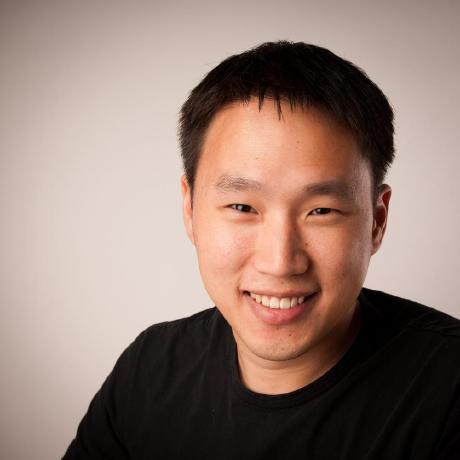
Joe Cheng is the CTO and first employee at Posit, PBC (formerly known as RStudio), where he helped create the RStudio IDE, Shiny web framework, and Databot agent for exploratory data analysis.
R Consortium Resources
Main R Consortium Site: https://www.r-consortium.org/ R+AI website: https://rconsortium.github.io/RplusAI_website R Consortium webinars: https://r-consortium.org/webinars/webinars.html Blog: https://r-consortium.org/blog/ LinkedIn: https://www.linkedin.com/company/r-consortium/


Making the most of artificial and human intelligence for data science (Hadley Wickham, Joe Cheng)
Making the most of artificial and human intelligence for data science
Speaker(s): Hadley Wickham; Joe Cheng
Abstract:
This presentation explores the complex and often contradictory nature of large language models (LLMs) in data science, acknowledging the simultaneous excitement and apprehension that we feel toward these technologies. We’ll provide a practical framework to help you understand the LLM ecosystem (from foundation models and hosting to SDKs and applications) that supports our current philosophy: augmenting, not replacing human intelligence. The talk demonstrates how Posit is addressing this space through two complementary approaches: building SDKs and tools that help you create your own LLM-powered solutions, and developing integrated LLM capabilities directly into data science workflows through tools like Positron assistant and databot. We’ll showcase practical, immediately useful applications while addressing current limitations, providing you with both the emotional preparation and technical foundation needed to effectively leverage LLMs in their data science practice today. posit::conf(2025) Subscribe to posit::conf updates: https://posit.co/about/subscription-management/



Demystifying LLMs with Ellmer
From R/Medicine 2025
Joe Cheng, CTO, Posit Joe Cheng is the CTO of Posit, PBC. He’s the original creator of the Shiny web framework and co-creator of ellmer.
Today’s best LLMs are incredibly powerful–but you’re only scratching the surface of their capabilities if your use is limited to ChatGPT or Copilot. Accessing LLMs programmatically opens up a whole new world of possibilities, letting you integrate LLMs into your own apps, scripts, and workflows. In this workshop, we’ll cover:
A practical introduction to LLM APIs
– Configuring R to access LLMs via the ellmer package – Customizing LLM behavior using system prompts and tool calling – Creating Shiny apps with integrated chatbots – Using LLMs for natural language processing
Attendees will leave the workshop armed with ready-to-run examples, and the confidence and inspiration to run their own experiments with LLMs.
Attendees should be familiar with the basics of R and have a working R installation.
Note that to avoid any potential firewall issues, it is recommended that participants use a personal computer for this workshop.
Resources
Presentation: https://jcheng5.github.io/rmedicine-2025 R/Medicine: https://rconsortium.github.io/RMedicine_website/ R Consortium: https://www.r-consortium.org/


Posit Conf 2025 Keynote Previews | Kieran Healy & Jonathan McPherson | Data Science Hangout
To join future data science hangouts, add it to your calendar here: https://pos.it/dsh - All are welcome! We’d love to see you! Thursdays at 12PM US Eastern
We were recently joined by upcoming Posit Conf 2025 keynote speakers Kieran Healy, Professor of Sociology at Duke University, and Jonathan McPherson, Software Architect at Posit PBC, to chat about how and why open-source IDEs like RStudio and Positron get made, how to do data visualization for discovery and explanation, what their keynotes are going to be about, and what’s next for Posit’s IDE development, including AI integration.
In this Hangout, Kieran talked about the trustworthy data visualization. He highlighted that while data visualization is a powerful way to condense and present information, often creating compelling and authoritative artifacts, phrases like “visual storytelling” can be problematic if they encourage presenting a predetermined narrative not fully supported by data. He emphasized that the trustworthiness of visualizations does not come solely from the techniques used or the software, but from a “web of social processes and individual commitments” that cannot be easily automated.
Jonathan talked about the future of Positron and its relationship with RStudio, addressing whether Positron is intended to replace RStudio. He clarified that the long-term goal for Positron is to make it the best Integrated Development Environment (IDE) for working with data in any language. He explained that Positron is built with an extensibility layer, allowing anyone to write plugins for new languages or capabilities, making it a robust and evolving data science workbench. It does not have all of RStudio’s features and makes different design trade-offs. RStudio, having evolved over decades, is highly optimized for specific R-based workflows and remains the best at what it does for those use cases.
Resources mentioned in the video and zoom chat: Posit Conference 2025 Registration → https://posit.co/conference/ Kieran Healy’s Website → https://kieranhealy.org Kieran Healy’s book “The Ordinal Society” → https://theordinalsociety.com/ Kieran Healy’s book “Data Visualization: A Practical Introduction” → https://socviz.co/ Jonathan McPherson’s LinkedIn → https://www.linkedin.com/in/jonathanmcpherson Joe Cheng’s AI Talk on Harnessing LLMs for Data Analysis → https://youtu.be/owDd1CJ17uQ?feature=shared TidyTuesday GitHub → https://github.com/rfordatascience/tidytuesday Positron IDE → https://positron.posit.co/ Will R Chase’s talk on making clear plots → https://www.youtube.com/watch?v=h5cTacaWE6I
If you didn’t join live, one great discussion you missed from the zoom chat was about the ongoing debate and practical tips for moving from presenting tables of numbers to visualizations. Community members shared various strategies, including using color-mapped tables as an intermediate step, providing both tables and visuals, and ensuring accessibility and interpretability for diverse audiences. Are you team tables or team graphs?
► Subscribe to Our Channel Here: https://bit.ly/2TzgcOu
Follow Us Here: Website: https://www.posit.co Hangout: https://pos.it/dsh LinkedIn: https://www.linkedin.com/company/posit-software Bluesky: https://bsky.app/profile/posit.co
Thanks for hanging out with us!


Harnessing LLMs for Data Analysis | Led by Joe Cheng, CTO at Posit
When we think of LLMs (large language models), usually what comes to mind are general purpose chatbots like ChatGPT or code assistants like GitHub Copilot. But as useful as ChatGPT and Copilot are, LLMs have so much more to offer—if you know how to code. In this demo Joe Cheng will explain LLM APIs from zero, and have you building and deploying custom LLM-empowered data workflows and apps in no time.
Posit PBC hosts these Workflow Demos the last Wednesday of every month. To join us for future events, you can register here: https://posit.co/events/
Slides: https://jcheng5.github.io/workflow-demo/ GitHub repo: https://github.com/jcheng5/workflow-demo
Resources shared during the demo: Ellmer https://ellmer.tidyverse.org/ Chatlas https://posit-dev.github.io/chatlas/
Environment variable management: For R: https://docs.posit.co/ide/user/ide/guide/environments/r/managing-r.html#renviron For Python https://pypi.org/project/python-dotenv/
Shiny chatbot UI: For R, Shinychat https://posit-dev.github.io/shinychat/ For Python, ui.Chat https://shiny.posit.co/py/docs/genai-inspiration.html
Deployment Cloud hosting https://connect.posit.cloud On-premises (Enterprise) https://posit.co/products/enterprise/connect/ On-premises (Open source) https://posit.co/products/open-source/shiny-server/
Querychat Demo: https://jcheng.shinyapps.io/sidebot/ Package: https://github.com/posit-dev/querychat/
If you have specific follow-up questions about our professional products, you can schedule time to chat with our team: pos.it/llm-demo


Forecasting AI Demand at Microsoft | Sajay Suresh | Data Science Hangout
To join future data science hangouts, add it to your calendar here: https://pos.it/dsh - All are welcome! We’d love to see you!
We were recently joined by Sajay Suresh, Senior Director of Data and Applied Science at Microsoft, to chat about data center supply chain planning, forecasting AI demand, and navigating data science careers.
In this Hangout, we explored how the emergence of technologies like LLMs changed projections for data center demand. Sajay discussed how forecasting for something with little historical data, like AI demand, required drawing analogies from the past, such as comparing the training/inferencing model to the iPhone and its App Store. A major complexity in current supply chain planning is the lack of fungibility with modern GPUs requiring specific infrastructure like liquid cooling, meaning data centers designed for GPUs cannot easily be repurposed for traditional compute/storage workloads, increasing investment risk if demand is lower than planned.
Resources mentioned in the video and zoom chat: LLM Workflow Demo with Joe Cheng → https://pages.posit.co/05-28WorkflowDemo.html Posit::conf 2025 Virtual Registration → https://posit.co/blog/posit-conf-2025-virtual-experience-registration/ Sajay Suresh on LinkedIn → https://www.linkedin.com/in/sajay-suresh-12687631/ Find mentors on ADPList → https://adplist.org/ Officeverse R packages for Office documents → https://ardata-fr.github.io/officeverse/ Microsoft team meetup video on capacity planning → https://www.youtube.com/live/07j22d4B_hA?feature=shared Seattle Data And AI Security community → https://www.linkedin.com/posts/seattle-data-and-ai-security_microsoft-fabric-tour-seattle-data-ai-security-6891902675280633856-xLw3?utm_source=share&utm_medium=member_desktop Quarto Gallery → https://quarto.org/docs/gallery/ Quarto Guide → https://quarto.org/docs/guide/
If you didn’t join live, one great discussion you missed from the zoom chat was about communities and meetups recommended for networking and learning in data science. Participants shared various groups like R-Ladies, Data Book Club, local tech meetups, and specific conference recommendations like Shiny Conf and DataConf.ai NYC. What’s your favorite data community?
► Subscribe to Our Channel Here: https://bit.ly/2TzgcOu
Follow Us Here: Website: https://www.posit.co Hangout: https://pos.it/dsh LinkedIn: https://www.linkedin.com/company/posit-software Bluesky: https://bsky.app/profile/posit.co
Thanks for hanging out with us! Subscribe to posit::conf updates: https://posit.co/about/subscription-management/


Shiny community, hackathons, and his AI mindset | Joe Cheng | Data Science Hangout
To join future data science hangouts, add it to your calendar here: https://pos.it/dsh - All are welcome! We’d love to see you!
We were recently joined by Joe Cheng, CTO at Posit, to chat about the Shiny contest, the use of AI in data science, and designing hackathons for learning new technologies. We were joined by several past and present Shiny contest winners who gave great advice on how to get started if you want to participate (and we really hope you do)!
In this Hangout, we explore the evolution of the Shiny contest since its inception, including what made the 2024 submissions unique and the ways the contest encourages community contribution and learning. Joe also shared about his personal journey from feeling skepticism about AI to seeing and embracing its potential. We got some amazing questions from the Hangout attendees! We hope you join us live next time to ask some of your own questions
Resources mentioned in the video and zoom chat:
2024 Shiny Contest Winners → https://posit.co/blog/winners-of-the-2024-shiny-contest/
Joe’s AI Hackathon Slides → https://jcheng5.github.io/llm-quickstart/quickstart.html
Shiny Assistant → https://gallery.shinyapps.io/assistant/
Isabella’s blog post on prototyping with Shiny Assistant → https://posit.co/blog/ai-powered-shiny-app-prototyping/
Posit Conf Workshops → https://reg.rainfocus.com/flow/posit/positconf25/attendee-portal/page/sessioncatalog?tab.day=20250916&search.sessiontype=1675316728702001wr6r
Shiny Conference 2025 → https://www.shinyconf.com/
Call for Speakers Shiny Conf 2025 → https://sessionize.com/shiny-conf-2025/
Shiny Tableau → https://rstudio.github.io/shinytableau/
Echarts4r → https://echarts4r.john-coene.com
Elmer package on Github → https://github.com/tidyverse/ellmer
All the Shiny app links mentioned in the video and zoom chat: Eric Nantz 2021 Shiny Contest Submission → https://forum.posit.co/t/the-hotshots-racing-dashboard-shiny-contest-submission/104925 Eric Nantz’s R/Pharma conference keynote on AI → https://youtu.be/AfMa1CVUdXU?si=ThLsKFyonntxzBUF Eric Nantz’s Haunted Places app → https://youtu.be/vX09QGMuOfo?si=K5_uPfK5bcfZZ92l Umair Durrani’s Shiny Storytelling app → https://umair.shinyapps.io/storytimegcp/ Umair’s Blue Sky profile → https://bsky.app/profile/transport-talk.bsky.social Umair’s Shiny meetings project on Github → https://github.com/shiny-meetings/shiny-meetings Abby Stamm’s Shiny Accessibility app → https://github.com/ajstamm/shiny-a11y-app
If you didn’t join live, one great discussion you missed from the zoom chat was about everyone’s favorite interactive plotting tools. Someone asked whether Plotly was the best option, and lots of people said they loved ggiraph, echarts4r, ObservableJS, and others. What about you?! What’s your favorite interactive plotting library?
► Subscribe to Our Channel Here: https://bit.ly/2TzgcOu
Follow Us Here: Website: https://www.posit.co Hangout: https://pos.it/dsh LinkedIn: https://www.linkedin.com/company/posit-software Bluesky: https://bsky.app/profile/posit.co
Thanks for hanging out with us!


Joe Cheng - Summer is Coming: AI for R, Shiny, and Pharma
Summer is Coming: AI for R, Shiny, and Pharma - Joe Cheng
Abstract: R users tend to be skeptical of modern AI models, given our weird insistence on answers being accurate, or at least supported by the data. But I believe the time has come—or maybe it’s a little late—for even the most AI-cynical among us to push past their discomfort and get informed about what these tools are truly capable of. And key to that is moving beyond using AI-enabled apps, and towards building our own scripts, packages, and apps that make judicious use of AI.
In this talk, I’ll tell you why I believe AI has more to offer the R community than just wrong answers from chat windows or mediocre code suggestions in our IDEs. I’ll also introduce brand-new tools we’re developing at Posit that put powerful AI tools within reach of every R user. And finally, I’ll show how adding some AI could make your next Shiny app dramatically more useful for your users.
Resources mentioned in the talk:
- Slides: https://jcheng5.github.io/pharma-ai-2024
- {elmer} Call LLM APIs from R: https://elmer.tidyverse.org/
- {shinychat} Chat UI component for Shiny for R https://github.com/jcheng5/shinychat
- R/Pharma GenAI Day Recordings: https://www.youtube.com/playlist?list=PLMtxz1fUYA5AYryl4t2mtqBngqWDrnMXJ
Presented at the 2024 R/Pharma Conference


Joe Cheng - Shiny x AI
These days, you can’t turn around without encountering a large language model—they’re embedded in everything from Google search results to the lower-right corner of every Windows desktop.
But… in your Shiny app?
In this talk, we’ll discuss some ways the Shiny team is combining the magical chaos of LLMs with the structure and control of Shiny. You’ll learn how to use modern chat models to add features to your Shiny apps that will feel like science fiction to your users while minimizing the risks of hallucination, irreproducibility, and data exposure.
Talk by Joe Cheng
GitHub Repo: https://github.com/jcheng5/py-sidebot



So You Think You Can ANALYZE? (Data Content Creator Hackathon)
Watch your favorite data science content creators compete for a piece of history. They will either prove their skills in front of the world or fail in the pursuit of eternal glory. This is so you think you can analyze.
Special thanks to Posit for sponsoring this competition and make this all possible!
Competitors: Team Jack @averysmith Jack Blandin @KeithGalli
Team MMA @AlexTheAnalyst @nerdnourishment @Miki_ML
Team Null Nick Singh Mark Freeman @SeattleDataGuy
Team Shashank @ShashankData
Team Posit-ively Skewed Greg Coquillo @datascienceharp Richad Nieves-Becker Ian Greengross
Interviewer: Elijah Butler - https://www.tiktok.com/@imelijahbutler
Posit Team
- Michael Chow
- Joe Cheng
- Carolos Scheidegger
- Julia Silge Sponsors, Affiliates, and Partners:
- Pathrise - http://pathrise.com/KenJee | Career mentorship for job applicants (Free till you land a job)
- Taro - http://jointaro.com/r/kenj308 (20% discount) | Career mentorship if you already have a job
- 365 Data Science (57% discount) - https://365datascience.pxf.io/P0jbBY | Learn data science today
- Interview Query (10% discount) - https://www.interviewquery.com/?ref=kenjee | Interview prep questions
MORE DATA SCIENCE CONTENT HERE: My Twitter - https://twitter.com/KenJee_DS LinkedIn - https://www.linkedin.com/in/kenjee/ Kaggle - https://www.kaggle.com/kenjee Medium Articles - https://medium.com/@kenneth.b.jee Github - https://github.com/PlayingNumbers My Sports Blog -https://www.playingnumbers.com
Check These Videos Out Next! My Leaderboard Project: https://www.youtube.com/watch?v=myhoWUrSP7o&ab_channel=KenJee 66 Days of Data: https://www.youtube.com/watch?v=qV_AlRwhI3I&ab_channel=KenJee How I Would Learn Data Science in 2021: https://www.youtube.com/watch?v=41Clrh6nv1s&ab_channel=KenJee
My Playlists Data Science Beginners: https://www.youtube.com/playlist?list=PL2zq7klxX5ATMsmyRazei7ZXkP1GHt-vs Project From Scratch: https://www.youtube.com/watch?v=MpF9HENQjDo&list=PL2zq7klxX5ASFejJj80ob9ZAnBHdz5O1t&ab_channel=KenJee Kaggle Projects: https://www.youtube.com/playlist?list=PL2zq7klxX5AQXzNSLtc_LEKFPh2mAvHIO




How to make Interactive Python Dashboards! (Reactivity in Shiny)
This is a quick-start guide to Shiny for Python, part 2 of a multi-part series.
Data scientists need to quickly build web applications to create and share interactive visualizations, giving others a way to interact with data and analytics. Shiny helps you do this.
In this video, we’ll build off of the last tutorial where we learned the basics of building, sharing, and deploying a Shiny app in Python. This video specifically focuses on reactivity in Shiny. You can watch this video as a standalone, but it may be helpful to watch the previous video (https://youtu.be/I2W7i7QyJPI) .
We’ll cover: ⬡ Creating toggle options for dynamic visualizations ⬡ Understanding Shiny’s reactivity model ⬡ Implementing various input selectors ⬡ Building reactive components and visualizations ⬡ Using reactive calculations and effects ⬡ Adding and formatting plots with Plotly ⬡ Documentation walkthrough to learn more about reactivity (reactivity.effect, reactivity.event, reactivity.isolate, reactivity.invalidate_later, etc…)
Video Resources: Video #1: https://youtu.be/I2W7i7QyJPI?si=nx1dk5ovPc91pvlB Starter Code (from end of video #1): https://github.com/KeithGalli/shiny-python-projects/tree/video1 Final App: https://keithgalli.shinyapps.io/final-app/
Shiny Resources: Shiny for Python Homepage: https://shiny.posit.co/py/ Component Gallery: https://shiny.posit.co/py/components/ Express Documentation: https://shiny.posit.co/py/api/express/ Gordon Shotwell’s “How does Shiny Render Things?”: https://youtu.be/jvV4y2xogf8?si=8uGP8ZfboUj1QM4p Joe Cheng’s “Shiny Programming Practices”: https://youtu.be/B2JzHv4FOTU?si=t4Atii-RSc5ojgom
Stay tuned for part 3, where we’ll explore how to make your dashboard look more professional (layouts in Shiny).
Video by @KeithGalli
Video Timeline! 0:00 - Intro & Overview 1:01 - Getting Started with Code 2:08 - Adding Shiny Components (Inputs, Outputs, & Display Messages) 3:21 - Creating an Additional Visualization (Sales Over Time by City) 7:55 - What are Reactive.Calcs and How Do We Use Them Properly? (DataFrame Best Practices) 10:27 - Creating an Additional Visualization (Sales Over Time by City) — Continued 14:30 - Filtering City Data with Select Inputs (UI.Input_Selectize) 21:15 - Rendering Shiny Inputs Within Text 22:15 - Quick Formatting Adjustments 22:54 - Understanding the Shiny Reactivity Model (How Does Shiny Render Things?) 24:23 - Adding a Checkbox Input to Change Out Bar Chart Marker Colors 28:00 - Deploying Our Updated App! 29:19 - Advanced Concepts in Shiny Reactivity (Reactive.Effect, Reactive.Event, Reactive.Isolate, Reactive.Invalidate_Later) & Other Resources
All videos in the series: Part 1 - How to Build, Deploy, & Share a Python Application in 20 minutes! (Using Shiny): https://www.youtube.com/watch?v=I2W7i7QyJPI&t=0s Part 2 - How to make Interactive Python Dashboards! (Reactivity in Shiny): https://www.youtube.com/watch?v=SLkA-Z8HTAE&t=0s Part 3 - How to make your Python Dashboard look Professional! (Layouts in Shiny): https://www.youtube.com/watch?v=jemk7DoN4qk&t=0s Part 4 - How to combine Matplotlib, Plotly, Seaborn, & more in a single Python Dashboard! (Shiny for Python): https://youtu.be/xDgO5hB4-VU?si=kk20yhdpsBqkMYcC Part 5 - How to Perfect Your Python Dashboard with Advanced Styling! (HTML/CSS - Shiny for Python): https://youtu.be/uYZUS-eFbqw


Joe Cheng | Managing long-running operations in Shiny | Posit
It’s been years since Shiny evolved to allow asynchronous operations within applications, improving scalability. The introduction of the {promises} package enabled concurrent processing between multiple Shiny sessions, a significant step forward in handling background tasks. However, this did not address the need for intra-session concurrency, where users expect to interact with the application while long-running calculations are executed in the background.
Recently, we added a new ExtendedTask feature to Shiny to allow for such intra-session concurrency. This new feature provides a different approach for developers to incorporate asynchronous tasks, enabling smoother user interactions during intensive computations. Alongside ExtendedTask, this talk will also discuss newer methods for launching asynchronous tasks, besides the usual {future} package. The focus will be on the practical application and integration of these features into Shiny applications.
Links mentioned in the video: ⬡ Shiny in Production: Principles, practices, and tools, https://youtu.be/Wy3TY0gOmJw?feature=shared
Timestamps: 0:20 Make your slow code fast 1:43 Long-running operations are a problem 3:28 Inter-session concurrency and intra-session concurrency 4:24 Introducing ExtendedTask 5:17 Demo of a slow API using ExtendedTask 6:13 Slow code example (R) 7:16 Fix slow code with ExtendedTask (R) 8:55 Slow code example (Python) 7:16 Fix slow code with ExtendedTask (Python) 10:46 Links to get started 11:06 ExtendedTask backstory intro 11:28 ExtendedTask vs. Shiny Async 15:50 How reactive programming works in Shiny 21:31 How ExtendedTask works in the reactive process 25:38 What we’re still working on 26:35 {future} alternatives 31:47 Wrapping up


Running R-Shiny without a Server - posit::conf(2023)
Presented by Joe Cheng
A year ago, Posit announced ShinyLive, a deployment mode of Shiny that lets you run interactive applications written in Python, without actually running a Python server at runtime. Instead, ShinyLive turns Shiny for Python apps into pure client-side apps, running on a pure client-side Python installation.
Now, that same capability has come to Shiny for R, thanks to the webR project.
In this talk, I’ll show you how you can get started with ShinyLive for R, and why this is more interesting than just cheaper app hosting. I’ll talk about some of the different use cases we had in mind for ShinyLive, and help you decide if ShinyLive makes sense for your app.
Presented at Posit Conference, between Sept 19-20 2023, Learn more at posit.co/conference.#
Talk Track: I can’t believe it’s not magic: new tools for data science. Session Code: TALK-1151


“Shiny: Data-centric web applications in Python” - Joe Cheng (PyBay 2023)
Joe Cheng
https://pybay.com/speakers/#sz-speaker-7e5324de-3afa-4614-a498-562bd5eb9986
Shiny is a web framework that is designed to let you create data dashboards, interactive visualizations, and workflow apps in pure Python or R. Shiny doesn’t require knowledge of HTML, CSS, and JavaScript, and lets you create data-centric applications in a fraction of the time and effort of traditional web stacks.
Of course, Python already has several popular and high-quality options for creating data-centric web applications. So it’s fair to ask what Shiny can offer the Python community.
In this talk, I will introduce Shiny for Python and answer that question. I’ll start with some basic demos that show how Shiny apps are constructed. Next, I’ll explain Transparent Reactive Programming (TRP), which is the animating concept behind Shiny, and the reason it occupies such an interesting place on the ease-vs-power tradeoff frontier. Finally, I’ll wrap up with additional demos that feature interesting functionality that is made trivial with TRP.
This talk should be interesting to anyone who uses Python to analyze or visualize data, and does not require experience with Shiny or any other web frameworks.
PyBay features the most influential speakers presenting the most crucial technologies to help beginners and seasoned developers alike get up-to-date quickly, in a single-track format. Whether you’re interested in web technologies, data, devops, Python internals, or performance, PyBay will help you stay on top of your game AND network with engineers at companies that are hiring!
Working remotely and want to meet your teammates to boost team cohesiveness? Leverage the platform we’ve built. There are great talks, yummy food, fresh air, vitamin D… all the elements developers crave for these days. If there are talks that don’t interest your team, take the opportunity to talk to speakers, create your own team activities or book a tee-time at the adjacent miniature golf course!
PyBay is the regional Python conference for the San Francisco Bay Area, bringing together Pythonistas from around the Bay Area and beyond. It is a volunteer-run organization dedicated to building a stronger Python community. PyBay offers deep-dive talks and networking opportunities that aim to enrich and empower the Python community. PyBay is part of BAPyA (Bay Area Python Association). BAPyA member organizations are the SF Python, Pyninsula, and BayPIGgies meetups.
Produced by NDV: https://youtube.com/channel/UCQ7dFBzZGlBvtU2hCecsBBg?sub_confirmation=1
Sun Oct 8 18:30:00 2023 at Bungalo East


Joe Cheng @ Posit | You have to be able to reason about it | Data Science Hangout
We were recently joined by Joe Cheng, CTO at Posit PBC to chat about all things Shiny - a web framework for data scientists, career journeys, being vulnerable, and so much more.
At 39:53 - Joe shared what it means when he says, “you have to be able to reason about it”
When you write software or do an analysis or whatever, there’s a level of “I got it to work” and then there’s the level of “it works, and I can reason about it.”
Complex pieces of software are among the most complicated things that humankind has ever devised. What other human-made constructs can have hundreds of millions of pieces and yet they’re expected to all fit and work together so precisely that, if one token is off, rockets explode.
I don’t know what the limit is, but even the smartest humans can only hold some small number of variables and operations in their head at any one time.
When we work on software that’s non-trivial, we work on software that in its totality is more than any one human mind can hold at any one given time. The main challenge in software engineering is about, how do you take all this complexity and break it down into smaller pieces, each of which you can reason about, each of which you can hold in your head, each of which you can look at and say, “Yeah, I can fully ingest this entire function definition. I can read it, line by line, and prove to myself, this is definitely correct if the functions that it’s calling don’t have bugs and if it’s called in the right way.”
So with those caveats, if the things that this is calling are correct and are called correctly, then the result will be correct because the logic here is correct.
Software engineering, at all but the most beginner level, is a lot about this. How do you break up inherently complicated things that we’re trying to do into small pieces that are individually easy to reason about?
That’s half the battle right there.
The other half of the battle is - how do we combine them in ways that can be reliable and also easy to reason about?
So it’s these two pieces– small pieces reliably composed– if you can achieve that, that’s what I’m talking about.
That’s software that you can reason about.
This has implications for data science as well. With data science, you’re doing some kind of analysis on some data, and it starts out as, oh, I’m just doing these simple things. I’m doing this manipulation and then I’m doing this visualization.
But then as you get deeper and deeper into it, it grows and grows and grows. You’re at the point where you’re at the end and you don’t remember where these variables came from.
You don’t remember what’s the difference between this data frame and this data frame. And you go back and hopefully start breaking it into functions or somehow dividing it into smaller pieces that each focus on a thing. Then you join those pieces together in your overall script.
That’s this principle of small pieces individually able to be reasoned about. When you think about other rules that you might have heard about software engineering – we know when you’re writing functions, using global variables is bad. That’s another one of these things where that hurts your ability to hold the entire function in your head and to prove that it’ll work correctly. Because who knows who is setting that global variable to what value? You can’t prove to yourself this function is definitely correct.
I think if there’s anything that you’re working on that needs to be correct and you do care that the answer is right, I try never to stop when I have an answer but I can’t reason about the code.
I always try to go back and do the refactoring that’s necessary just so I can prove to myself that the answer is right.
The other big benefit to this is that those individual pieces– if it does turn out that there’s a mistake somewhere, you can individually debug, test, unit test those individual pieces.
When there are problems, you’ll much more easily be able to find them.
► Subscribe to Our Channel Here: https://bit.ly/2TzgcOu
Follow Us Here: Website: https://www.posit.co LinkedIn: https://www.linkedin.com/company/posit-software Twitter: https://twitter.com/posit_pbc
To join future data science hangouts, add to your calendar here: pos.it/dsh (All are welcome! We’d love to see you!)
Come hangout with us!
The Data Science Hangout is a gathering place for the whole data science community - including current and future data science leaders - to chat about data science leadership and questions you’re all facing that happens every Thursday at 12 ET


Joe Cheng - Shiny: Data-centric web applications in Python | PyData Seattle 2023
Shiny is a web framework that is designed to let you create data dashboards, interactive visualizations, and workflow apps in pure Python or R. Shiny doesn’t require knowledge of HTML, CSS, and JavaScript, and lets you create data-centric applications in a fraction of the time and effort of traditional web stacks.
Of course, Python already has several popular and high-quality options for creating data-centric web applications. So it’s fair to ask what Shiny can offer the Python community.
In this talk, I will introduce Shiny for Python and answer that question. I’ll start with some basic demos that show how Shiny apps are constructed. Next, I’ll explain Transparent Reactive Programming (TRP), which is the animating concept behind Shiny, and the reason it occupies such an interesting place on the ease-vs-power tradeoff frontier. Finally, I’ll wrap up with additional demos that feature interesting functionality that is made trivial with TRP.
This talk should be interesting to anyone who uses Python to analyze or visualize data, and does not require experience with Shiny or any other web frameworks.
PyData is an educational program of NumFOCUS, a 501(c)3 non-profit organization in the United States. PyData provides a forum for the international community of users and developers of data analysis tools to share ideas and learn from each other. The global PyData network promotes discussion of best practices, new approaches, and emerging technologies for data management, processing, analytics, and visualization. PyData communities approach data science using many languages, including (but not limited to) Python, Julia, and R.
PyData conferences aim to be accessible and community-driven, with novice to advanced level presentations. PyData tutorials and talks bring attendees the latest project features along with cutting-edge use cases.
00:00 Welcome! 00:10 Help us add time stamps or captions to this video! See the description for details.
Want to help add timestamps to our YouTube videos to help with discoverability? Find out more here: https://github.com/numfocus/YouTubeVideoTimestamps


Shiny Programming Practices || Joe Cheng || Posit
Have you ever wanted to sit down and talk with Joe Cheng, the creator of Shiny and CTO of Posit (RStudio) and ask him how he approaches programming? Look no further - we’ve got that conversation for you right here!
Shiny makes it easy to build interactive web apps straight from R or Python. You can host standalone apps on a webpage or embed them in Markdown-style documents or build dashboards. You can also extend your Shiny apps with CSS themes, htmlwidgets, and JavaScript actions.
Learn more about Shiny: https://shiny.rstudio.com/ Check out Shiny for Python: https://shiny.rstudio.com/py/ Explore our interactive Shiny for Python examples: https://shinylive.io/py/examples/
Content: Joe Cheng (@jcheng) Producer: Jesse Mostipak (@kierisi) Editing and Motion Design: Tony Pelleriti (@TonyPelleriti)


Joe Cheng | Styling Shiny apps with Sass and Bootstrap 4 | Posit (2020)
Customizing the style–fonts, colors, margins, spacing–of Shiny apps has always been possible, but never as easy as we’d like it to be. Canned themes like those in the shinythemes package can easily make apps look slightly less generic, but that’s small consolation if your goal is to match the visual style of your university, corporation, or client.
In theory, one can “just” use CSS to customize the appearance of your Shiny app, the same as any other web application. But in practice, the use of large CSS frameworks like Bootstrap means significant CSS expertise is required to comprehensively change the look of an app.
Relief is on the way. As part of a round of upgrades to Shiny’s UI, we’ve made fundamental changes to the way R users can interact with CSS, using new R packages we’ve created around Sass and Bootstrap 4. In this talk, we’ll show some of the features of these packages and tell you how you can take advantage of them in your apps.
Resources: https://speakerdeck.com/jcheng5/styling-shiny


Joe Cheng | Shiny in production: Principles, practices, and tools | RStudio (2019)
Shiny is a web framework for R, a language not traditionally known for web frameworks, to say the least. As such, Shiny has always faced questions about whether it can or should be used “in production”. In this talk we’ll explore what “production” even means, review some of the historical obstacles and objections to using Shiny for production purposes, and discuss practices and tools that can help your Shiny apps flourish.
About the Author: Joe Cheng is the Chief Technology Officer at RStudio. Joe was the original creator of Shiny, and leads the team responsible for Shiny and Shiny Server. GitHub: https://github.com/jcheng5
Materials: https://speakerdeck.com/jcheng5/shiny-in-production


Intermediate Shiny 2-Day-Workshop - rstudio::conf(2019L)
What is the 2-day Intermediate Shiny Workshop? That’s a great question, I’m glad you asked….
Register at https://rstd.io/conf Learn more at https://rstd.io/conf-agenda
Intermediate Shiny Workshop - 2 Days
This two-day workshop is designed by Shiny author Joe Cheng for the experienced Shiny developer. By taking this workshop, you’ll improve your understanding of shiny’s foundations and learn how to make the most of reactive programming, techniques for extending and improving UI, techniques for debugging and tools for modularizing applications. By the end of the two days, you’ll be able to push the envelope of what you and your organizations can do with Shiny.
You should take this workshop if you are already familiar with the basics of shiny and you have built your own simple applications.
This course is led by friend of RStudio and Education Practice Lead at RStudio Certified Partner Mango Solutions, Aimee Gott. Winston Chang, RStudio Data Scientist, Developer, and author of the R Graphics Cookbook will join Aimee to provide hands-on advice and answers to the Shiny application development questions that stump you.
Speakers: Aimee Gott (Mango Solutions), with Winston Chang (RStudio)



Shiny Train-the-Trainer Workshop - rstudio::conf(2019L)
What is the 2-day Shiny Train-the-Trainer Workshop? That’s a great question, I’m glad you asked.
Register at https://rstd.io/conf Learn more at https://rstd.io/conf-agenda
Shiny Train-the-Trainer Certification Workshop - 2 Day
- Day 1 of the course will be co-taught by Mine Cetinkaya-Rundel and Garrett Grolemund, RStudio Data Scientists and Professional Educators.
- On Day 2, Mine will teach the Shiny track and Garrett will teach the Tidyverse track.
This two-day workshop will equip you to teach R effectively. We will draw on RStudio’s experience teaching R to recommend tips for designing, teaching, and supporting short R courses.
On Day 1 of the course, you will learn practical activities that you can use immediately to improve your presentation style, learning outcomes, and student engagement. You will leave the class with a cognitive model of learning that you can use to develop your own effective workshops or courses within your organization. The course will also cover how to use RStudio Cloud and its curriculum of tutorials to jump-start your own lessons.
On Day 2 of the course, participants will have the option to choose one of two tracks: Teaching the Tidyverse or Teaching Shiny.
- Teaching Shiny: Classroom examples will focus on teaching Shiny at the beginner and intermediate levels. The course materials will build on RStudio’s Mastering Shiny workshop as well as the upcoming book from the author of the Shiny package, Joe Cheng, and they will cover the entire lifecycle of a Shiny app: build ️ improving ️ share. Participants will receive the course materials for teaching Mastering Shiny. You should take this workshop if you work as a training partner and want to qualify as an RStudio Certified Shiny Instructor or if you are an advocate for R in your organization. You should be proficient in Shiny already and be prepared to submit examples of your work. Prior teaching experience is helpful, but not required. Please bring a laptop and a device that has video recording capabilities (such as a laptop or cell phone).
Instructors: Garrett Grolemund, Mine Çetinkaya-Rundel