



dplyr
dplyr: A grammar of data manipulation
dplyr is an R package that provides a grammar of data manipulation with a consistent set of verbs for common data tasks: filtering rows, selecting columns, creating new variables, sorting data, and computing summaries. These operations work naturally with grouping to perform calculations by category.
The package handles multiple computational backends beyond standard data frames, translating your code to work efficiently with databases (via SQL), large in-memory datasets (via data.table or DuckDB), cloud storage (via Apache Arrow), and distributed systems (via Apache Spark). This backend flexibility lets you use the same dplyr syntax whether your data fits in memory or requires specialized storage systems. The package integrates with other tidyverse tools for end-to-end data analysis workflows.
Contributors#


Resources featuring dplyr#


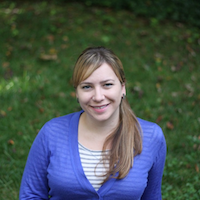


Using R package structure for data science projects | Kylie Ainslie | Data Science Lab
The Data Science Lab is a live weekly call. Register at pos.it/dslab! Discord invites go out each week on lives calls. We’d love to have you!
The Lab is an open, messy space for learning and asking questions. Think of it like pair coding with a friend or two. Learn something new, and share what you know to help others grow.
On this call, Libby Heeren is joined by Kylie Ainslie who walks through how structuring data science projects as R packages provides a consistent framework that integrates documentation for you and facilitates collaboration with others by organizing things really well. Kylie says, “I stumbled on using an R package structure to organize my projects a number of years ago and it has changed how I work in such a positive way that I want to share it with others! In a world where our attention is constantly being pulled in many directions, efficiency is crucial. Structuring projects as R packages is how I work more efficiently.”
Hosting crew from Posit: Libby Heeren, Isabella Velasquez
Kylie’s Bluesky: @kylieainslie.bsky.social Kylie’s LinkedIn: https://www.linkedin.com/in/kylieainslie/ Kylie’s Website: https://kylieainslie.github.io/ Kylie’s GitHub: https://github.com/kylieainslie
Resources from the hosts and chat:
posit::conf(2026) call for talks: https://posit.co/blog/posit-conf-2026-call-for-talks/ Kylie’s posit::conf(2025) talk: https://www.youtube.com/watch?v=YzIiWg4rySA {usethis} package: https://usethis.r-lib.org/ R Packages (2e) book: https://r-pkgs.org/ Paquetes de R (R Packages in Spanish): https://davidrsch.github.io/rpkgs-es/ {box} package: https://github.com/klmr/box extdata docs in Writing R Extensions: https://cran.r-project.org/doc/manuals/R-exts.html#Data-in-packages-1 Tan Ho’s talk on NFL data: https://tanho.ca/talks/rsconf2022-github/ {rv} package: https://a2-ai.github.io/rv-docs/ Whether to Import or Depend: https://r-pkgs.org/dependencies-mindset-background.html#sec-dependencies-imports-vs-depends {pkgdown} package: https://pkgdown.r-lib.org/ Edgar Ruiz’s {pkgsite} package: https://github.com/edgararuiz/pkgsite
Attendees shared examples of data packages in the chat! Here they are: https://kjhealy.github.io/nycdogs/ https://kjhealy.github.io/gssr/ https://github.com/deepshamenghani/richmondway https://github.com/kyleGrealis/nascaR.data https://github.com/ivelasq/leaidr
► Subscribe to Our Channel Here: https://bit.ly/2TzgcOu
Follow Us Here: Website: https://www.posit.co The Lab: https://pos.it/dslab Hangout: https://pos.it/dsh LinkedIn: https://www.linkedin.com/company/posit-software Bluesky: https://bsky.app/profile/posit.co
Thanks for learning with us!
Timestamps: 00:00 Introduction 06:17 Reviewing the disorganized project example 10:01 Creating the package structure using create_package 17:50 Organizing external data and scripts in the inst folder 22:55 Adding a README and License 29:06 “What are the advantages to packaging a project?” 33:35 Writing Roxygen2 documentation 36:06 “Do you type return at the end of your functions?” 41:55 Handling dependencies with use_package 43:53 “Can you just use require(dplyr) at the top?” 47:45 Setting up a pkgdown site 50:11 Creating vignettes 52:22 “What is the role of the usethis package?” 54:18 Loading the package with devtools::load_all



Building Multilingual Data Science Teams (Michael Thomas, Ketchbrook Analytics) | posit::conf(2025)
Building Multilingual Data Science Teams
Speaker(s): Michael Thomas
Abstract:
For much of my career, I have seen data science teams make the critical decision of deciding whether they are going to be an “R shop” or a “Python shop”. Doing both seemed impossible. I argue that this has changed drastically, as we have built out an effective multilingual data science team at Ketchbrook, thanks to polars/dplyr, gt/great-tables, ggplot2/plotnine, arrow, duckdb, Quarto, etc. I would like to provide a walk through of our journey to developing a multilingual data science team, lessons learned, and best practices. posit::conf(2025) Subscribe to posit::conf updates: https://posit.co/about/subscription-management/


duckplyr: Analyze large data with full dplyr compatibility (Kirill Müller, cynkra)
duckplyr: Analyze large data with full dplyr compatibility
Speaker(s): Kirill Müller
Abstract:
The duckplyr package is now stable, version 1.0.0 has been published on CRAN. Learn how to use this package to speed up your existing dplyr codes with little to no changes, and how to work with larger-than-memory data using a syntax that not only feels like dplyr for data frames, but behaves exactly like that.
Materials - https://github.com/cynkra/posit-conf-2025 posit::conf(2025) Subscribe to posit::conf updates: https://posit.co/about/subscription-management/


Workflow Demo Live Q&A - December 18th!
This is the Live Q&A session for our Workflow Demo on December 18th to show how to build a Shiny app that reads from and writes to a database - using DuckDB.
The demo will be here: https://youtu.be/6AGroJb4zPM
Sara covers how to:
- Set up a connection to DuckDB from a Shiny app
- Query the database using R or Python
- Use editable tables to enable users to write back to the database
- Securely deploy your app to Posit Connect
Resources mentioned in this Q&A: Connect Authentication documentation: https://docs.posit.co/connect/user/oauth-integrations/ Git backed deployment in Posit Connect: https://posit.co/blog/git-backed-deployment-in-posit-connect/ shinylive: https://posit-dev.github.io/r-shinylive/ Mastering Shiny Best Practices: https://mastering-shiny.org/best-practices.html#best-practices
Blogs: https://blog.stephenturner.us/p/duckdb-vs-dplyr-vs-base-r https://outsiderdata.netlify.app/posts/2024-04-10-the-truth-about-tidy-wrappers/benchmark_wrappers.html Using Posit tools with data in DuckDB, Databricks, and Snowflake: https://posit.co/blog/databases-with-posit/ Creating a Shiny app that interacts with a database: https://posit.co/blog/shiny-with-databases/ Appsilon has a lot of resources on the topic: https://www.appsilon.com/post/r-shiny-duckd
Please note, while the monthly Posit Team Workflow Series is usually the last Wednesday of the month - this will be a week earlier. Cheers to a festive holiday season and a fantastic year ahead for you and yours!
To add future Monthly Workflow Demo events to your calendar → https://www.addevent.com/event/Eg16505674
You can view all the previous workflow demos here → https://www.youtube.com/playlist?list=PL9HYL-VRX0oRsUB5AgNMQuKuHPpNDLBVt


Connecting Shiny Apps to Databases with Posit Team
Many of us learned to work with data on our laptop, but at work data is increasingly stored in databases. Join us on Wednesday, Dec 18th at 11am ET with Sara Altman, who will lead us through building a Shiny app that reads from and writes to a database - using DuckDB 🦆
Sara will cover how to:
- Set up a connection to DuckDB from a Shiny app
- Query the database using R or Python
- Use editable tables to enable users to write back to the database
- Securely deploy your app to Posit Connect
Q&A Recording: https://youtube.com/live/C8j3d46AacM?feature=share
Resources mentioned in this Q&A: Connect Authentication documentation: https://docs.posit.co/connect/user/oauth-integrations/ Git backed deployment in Posit Connect: https://posit.co/blog/git-backed-deployment-in-posit-connect/ shinylive: https://posit-dev.github.io/r-shinylive/ Mastering Shiny Best Practices: https://mastering-shiny.org/best-practices.html#best-practices
Blogs: https://blog.stephenturner.us/p/duckdb-vs-dplyr-vs-base-r https://outsiderdata.netlify.app/posts/2024-04-10-the-truth-about-tidy-wrappers/benchmark_wrappers.html Using Posit tools with data in DuckDB, Databricks, and Snowflake: https://posit.co/blog/databases-with-posit/ Creating a Shiny app that interacts with a database: https://posit.co/blog/shiny-with-databases/ Appsilon has a lot of resources on the topic: https://www.appsilon.com/post/r-shiny-duckd
Please note, while the monthly Posit Team Workflow Series is usually the last Wednesday of the month - this will be a week earlier. Cheers to a festive holiday season and a fantastic year ahead for you and yours!
To add future Monthly Workflow Demo events to your calendar → https://www.addevent.com/event/Eg16505674
You can view all the previous workflow demos here → https://www.youtube.com/playlist?list=PL9HYL-VRX0oRsUB5AgNMQuKuHPpNDLBVt


Ask Hadley Anything
A unique opportunity to gain insights directly from a leading expert in open source data science and a driving force behind many popular R packages like ggplot2 and dplyr.
Links from the Q&A: gh-action webscraping demo: https://github.com/hadley/cran-deadlines tidyverse devday 2024: https://www.tidyverse.org/blog/2024/04/tdd-2024/
For the 3 questions on moving from SAS to R in Pharma: Posit and Atorus have partnered on a Posit Academy training: https://posit.co/blog/upskill-to-r-programming-with-posit-and-atorus-research/ And at least 3 pharma companies have shared resources to help people on the transition from statistical programming in SAS, to data science in R: Pfizer exercises: https://github.com/pfizer-opensource/pharma-hands-on-exercises Bayer SAS to R: https://bayer-group.github.io/sas2r/ Roche Coursera course: https://www.coursera.org/learn/making-data-science-work-for-clinical-reporting


Hadley Wickham - R in Production
R in Production by Hadley Wickham
Visit https://rstats.ai for information on upcoming conferences.
Abstract: In this talk, we delve into the strategic deployment of R in production environments, guided by three core principles to elevate your work from individual exploration to scalable, collaborative data science. The essence of putting R into production lies not just in executing code but in crafting solutions that are robust, repeatable, and collaborative, guided by three key principles:
-
Not just once: Successful data science projects are not a one-off, but will be run repeatedly for months or years. I’ll discuss some of the challenges for creating R scripts and applications that run repeatedly, handle new data seamlessly, and adapt to evolving analytical requirements without constant manual intervention. This principle ensures your analyses are enduring assets not throw away toys.
-
Not just my computer: the transition from development on your laptop (usually windows or mac) to a production environment (usually linux) introduces a number of challenges. Here, I’ll discuss some strategies for making R code portable, how you can minimise pain when something inevitably goes wrong, and few unresolved auth challenges that we’re currently working on.
-
Not just me: R is not just a tool for individual analysts but a platform for collaboration. I’ll cover some of the best practices for writing readable, understandable code, and how you might go about sharing that code with your colleagues. This principle underscores the importance of building R projects that are accessible, editable, and usable by others, fostering a culture of collaboration and knowledge sharing.
By adhering to these principles, we pave the way for R to be a powerful tool not just for individual analyses but as a cornerstone of enterprise-level data science solutions. Join me to explore how to harness the full potential of R in production, creating workflows that are robust, portable, and collaborative.
Bio: Hadley is Chief Scientist at Posit PBC, winner of the 2019 COPSS award, and a member of the R Foundation. He builds tools (both computational and cognitive) to make data science easier, faster, and more fun. His work includes packages for data science (like the tidyverse, which includes ggplot2, dplyr, and tidyr)and principled software development (e.g. roxygen2, testthat, and pkgdown). He is also a writer, educator, and speaker promoting the use of R for data science. Learn more on his website, http://hadley.nz .
Mastodon: https://fosstodon.org/@hadleywickham
Presented at the 2024 New York R Conference (May 17, 2024) Hosted by Lander Analytics (https://landeranalytics.com )



dbtplyr: Bringing Column-Name Contracts from R to dbt - posit::conf(2023)
Presented by Emily Riederer
starts_with(language): Translating select helpers to dbt. Translating syntax between languages transports concepts across communities. We see a case study of adapting a column-naming workflow from dplyr to dbt’s data engineering toolkit.
dplyr’s select helpers exemplify how the tidyverse uses opinionated design to push users into the pit of success. The ability to efficiently operate on names incentivizes good naming patterns and creates efficiency in data wrangling and validation.
However, in a polyglot world, users may find they must leave the pit when comparable syntactic sugar is not accessible in other languages like Python and SQL.
In this talk, I will explain how dplyr’s select helpers inspired my approach to ‘column name contracts,’ how good naming systems can help supercharge data management with packages like {dplyr} and {pointblank}, and my experience building the {dbtplyr} to port this functionality to dbt for building complex SQL-based data pipelines.
Materials:
Presented at Posit Conference, between Sept 19-20 2023, Learn more at posit.co/conference.#
Talk Track: Databases for data science with duckdb and dbt. Session Code: TALK-1098


dplyr 1.1.0 Features You Can’t Live Without - posit::conf(2023)
Presented by Davis Vaughan
Did you enjoy my clickbait title? Did it work? Either way, welcome!
The dplyr 1.1.0 release included a number of new features, such as:
- Per-operation grouping with
.by - An overhaul to joins, including new inequality and rolling joins
- New
consecutive_id()andcase_match()helpers - Significant performance improvements in
arrange()
Join me as we take a tour of this exciting dplyr update, and learn how to use these new features in your own work!
Presented at Posit Conference, between Sept 19-20 2023, Learn more at posit.co/conference.#
Talk Track: Lightning talks. Session Code: TALK-1162



duckplyr: Tight Integration of duckdb with R and the tidyverse - posit::conf(2023)
Presented by Kirill Müller
The duckplyr R package combines the convenience of dplyr with the performance of DuckDB. Better than dbplyr: Data frame in, data frame out, fully compatible with dplyr.
duckdb is the new high-performance analytical database system that works great with R, Python, and other host systems. dplyr is the grammar of data manipulation in the tidyverse, tightly integrated with R, but it works best for small or medium-sized data. The former has been designed with large or big data in mind, but currently, you need to formulate your queries in SQL.
The new duckplyr package offers the best of both worlds. It transforms a dplyr pipe into a query object that duckdb can execute, using an optimized query plan. It is better than dbplyr because the interface is “data frames in, data frames out”, and no intermediate SQL code is generated.
The talk first presents our results, a bit of the mechanics, and an outlook for this ambitious project.
Materials: https://github.com/duckdblabs/duckplyr/
Presented at Posit Conference, between Sept 19-20 2023, Learn more at posit.co/conference.#
Talk Track: Databases for data science with duckdb and dbt. Session Code: TALK-1100


Siuba and duckdb: Analyzing Everything Everywhere All at Once - posit::conf(2023)
Presented by Michael Chow
Every data analysis in Python starts with a big fork in the road: which DataFrame library should I use?
The DataFrame Decision locks you into different methods, with subtly different behavior::
- different table methods (e.g. polars
.with_columns()vs pandas.assign()) - different column methods (e.g. polars
.map_dict()vs pandas.map())
In this talk, I’ll discuss how siuba (a dplyr port to python) combines with duckdb (a crazy powerful sql engine) to provide a unified, dplyr-like interface for analyzing a wide range of data sources‚ whether pandas and polars DataFrames, parquet files in a cloud bucket, or pins on Posit Connect.
Finally, I’ll discuss recent experiments to more tightly integrate siuba and duckdb.
Presented at Posit Conference, between Sept 19-20 2023, Learn more at posit.co/conference.#
Talk Track: Databases for data science with duckdb and dbt. Session Code: TALK-1101



posit::conf(2023) Workshop: Big Data with Arrow
Register now: http://pos.it/conf Instructors: Nic Crane and Stephanie Hazlitt Workshop Duration: 1-Day Workshop
This course is for you if you: • want to learn how to work with tabular data that is too large to fit in memory using existing R and tidyverse syntax implemented in Arrow • want to learn about Parquet and other file formats that are powerful alternatives to CSV files • want to learn how to engineer your tabular data storage for more performant access and analysis with Apache Arrow
Data analysis pipelines with larger-than-memory data are becoming more and more commonplace. In this workshop you will learn how to use Apache Arrow, a multi-language toolbox for working with larger-than-memory tabular data, to create seamless “big” data analysis pipelines with R.
The workshop will focus on using the the arrow R package—a mature R interface to Apache Arrow— to process larger-than-memory files and multi-file data sets with arrow using familiar dplyr syntax. You’ll learn to create and use interoperable data file formats like Parquet for efficient data storage and access, with data stored both on disk and in the cloud, and also how to exercise fine control over data types to avoid common large data pipeline problems. This workshop will provide a foundation for using Arrow, giving you access to a powerful suite of tools for performant analysis of larger-than-memory data in R


posit::conf(2023) Workshop: Introduction to Data Science with R and Tidyverse
Register now: http://pos.it/conf Instructors: Posit Academy Instructors Workshop Duration: 2-Day Workshop
This course is ideal for: • those new to R or the Tidyverse • anyone who has dabbled in R, but now wants a rigorous foundation in up-to-date data science best practices • SAS and Excel users looking to switch their workflows to R
This is not a standard workshop, but a six-week online apprenticeship that culminates in two in-person days at posit::conf(2023). Begins August 7th, 2023. No knowledge of R required. Visit posit.co/academy to learn more about this uniquely effective learning format.
Here, you will learn the foundations of R and the Tidyverse under the guidance of a Posit Academy mentor and in the company of a close group of fellow learners. You will be expected to complete a weekly curriculum of interactive tutorials, and to attend a weekly presentation meeting with your mentor and fellow students. Topics will include the basics of R, importing data, visualizing data with ggplot2, wrangling data with dplyr and tidyr, working with strings, factors, and date-times, modelling data with base R, and reporting reproducibly with quarto


posit::conf(2023) Workshop: Tidy time series and forecasting in R
Register now: http://pos.it/conf Instructor: Rob J Hyndman Workshop Duration: 2-Day Workshop
This course is for you if you: • already use the tidyverse packages in R such as dplyr, tidyr, tibble and ggplot2 • need to analyze large collections of related time series • would like to learn how to use some tidy tools for time series analysis including visualization, decomposition and forecasting
It is common for organizations to collect huge amounts of data over time, and existing time series analysis tools are not always suitable to handle the scale, frequency and structure of the data collected. In this workshop, we will look at some packages and methods that have been developed to handle the analysis of large collections of time series.
On day 1, we will look at the tsibble data structure for flexibly managing collections of related time series. We will look at how to do data wrangling, data visualizations and exploratory data analysis. We will explore feature-based methods to explore time series data in high dimensions. A similar feature-based approach can be used to identify anomalous time series within a collection of time series, or to cluster or classify time series. Primary packages for day 1 will be tsibble, lubridate and feasts (along with the tidyverse of course).
Day 2 will be about forecasting. We will look at some classical time series models and how they are automated in the fable package, and we will explore the creation of ensemble forecasts and hybrid forecasts. Best practices for evaluating forecast accuracy will also be covered. Finally, we will look at forecast reconciliation, allowing millions of time series to be forecast in a relatively short time while accounting for constraints on how the series are related


R-Ladies Rome (English) - What’s new in the tidyverse - Isabella Velasquez
Welcome to R-Ladies Rome Chapter!
What’s new in the tidyverse - Speaker: Isabella Velasquez
In this video, Isabella will tell you about What’s new in the tidyverse, a suite of packages that’s revolutionized data wrangling, visualization, and analysis. Recently, Tidyverse has undergone some changes and updates to make it even more user-friendly and powerful. The changes to Tidyverse include new packages, updates to existing ones, and improvements in performance and functionality. Some of the most notable updates include enhancements to package dependencies, performance improvements for specific functions such as group_by(), and the addition of new packages such as ggplot2, readr and dplyr.
You can find the latest news here: https://bit.ly/3z9BcMR To follow Isabella Velásquez: Twitter: twitter.com/ivelasq3 LinkedIn: linkedin.com/in/ivelasq/
Materials: GitHub repo: https://bit.ly/3LHVSmS Website: https://bit.ly/3M5gE03 The tidyverse blog: https://www.tidyverse.org/blog/


George Mount | R for Excel Users - First Steps | RStudio Meetup
Abstract: Excel’s built-in programming language has served as an entry point to coding for many. If you’re a data analyst steeped in Excel, chances are you could also benefit from learning R for projects of increased scope and complexity.
This presentation serves as a hands-on introduction to R for Excel users:
How R differs from Excel as an open source software tool How to translate common Excel concepts such as cells, ranges, and tables to R equivalents Example use cases that you can take and apply to your own work How to enhance Excel and Power BI with R By the end of this presentation, you will have a clear path forward for building repeatable processes, compelling visualizations, and robust data analyses in R.
Speaker Bio: George Mount is the founder of Stringfest Analytics, a consulting firm specializing in analytics education and upskilling. He has worked with leading bootcamps, learning platforms and practice organizations to help individuals excel at analytics. George regularly blogs and speaks on data analysis, data education and workforce development. He is the author of Advancing into Analytics: From Excel to Python and R (O’Reilly).
Link to George’s white paper “Five things Excel users should know about R”https://stringfestanalytics.com/five-things-r-excel/
Working group sign-up for those interested!
Within many organizations Microsoft Excel is a preferred tool for working with data for non data analytics users. In order to build a data driven organization, source data and analytical models must be accessible to all data users (technical and non-technical) within their preferred tool. Let’s rally the R community to welcome Excel users into our data driven culture by building an Excel add-on to access data and models available within RStudio. If you’re interested in continuing this conversation and joining a working group, let us know! rstd.io/excel-r-community
Links shared at the meetup! George’s GitHub/ Presentation Resources: https://github.com/stringfestdata/rstudio-mar-2022
Packages? Where to find them & recommendations:
CRAN Task Views: https://cran.r-project.org/web/views/
Mark shared: for folks who primarily use excel to present formatted tables, the gt package is a great way to start doing this programmatically in R: https://gt.rstudio.com/
Ivan shared: In addition to regular Google, I’d recommend https://rseek.org/
, given that the character ‘R’ is sometimes not search friendly :)
Jeff shared: Fpp2 is great for forecasting and time series analysis - https://otexts.com/fpp2/
Floris shared: https://otexts.com/fpp3/
Ivan shared: If you’re into tidyverse, there’s an equivalent for time-series: https://tidyverts.org/
George shared: https://dplyr.tidyverse.org/
Ryan shared: This can be a helpful package for dynamically editing tables, like in excel https://github.com/DillonHammill/DataEditR
Ryan shared: This is a great package for making and learning ggplot visualizations: https://cran.r-project.org/web/packages/esquisse/vignettes/get-started.html
Other resources: Monaly shared: There is a R help group: r-help@r-project.org George shared: Helpful book/site on statistics: https://moderndive.com/ Ryan shared:Harvard has a good online source (free options) that has a number of classes, the following for stats: https://www.edx.org/professional-certificate/harvardx-data-science George shared: R for Data Science free book: https://r4ds.had.co.nz/ Fernando shared: big book of R https://www.bigbookofr.com/index.html Floris shared: Advanced R Book: https://adv-r.hadley.nz/ Pedro shared: The R for Data Science Slack channel is a great learning resource! r4ds.io/join (we just made a channel there called #chat-excel_to_r Ivan shared: For teams who are deeply entrenched in Excel (like my old team), this tool may be useful - https://bert-toolkit.com/ . It allows running R code in .xls, so you can learn R while doing .xls :)
Re: Glossary of terms: Ivan shared: inner_join() is like VLOOKUP in .xls. Dan shared: Here’s one cheat sheet (glossary of Excel to R) that I just found; https://paulvanderlaken.com/2018/07/31/transitioning-from-excel-to-r-dictionary-of-common-functions/
Extra Meetup Links Feedback: rstd.io/meetup-feedback Talk submission: rstd.io/meetup-speaker-form If you’d like to find out about upcoming events you can also add this calendar: rstd.io/community-events RStudio conference/submit a talk: https://www.rstudio.com/conference/ Recordings of all meetups: https://www.youtube.com/playlist?list=PL9HYL-VRX0oRKK9ByULWulAOO5jN70eXv


Rich Iannone || Making Beautiful Tables with {gt} || RStudio
00:00 Introduction 00:37 Adding a title with tab_header() (using Markdown!) 01:47 Adding a subtitle 02:48 Aligning table headers with opt_align_table_header() 03:48 Using {dplyr} with {gt} 06:03 Create a table stub with rowname_col() 07:35 Customizing column labels with col_label() 09:45 Formatting table numbers with fmt_number() 12:10 Adjusting column width with cols_width() 15:39 Adding source notes with tab_source_note() 16:55 Adding footnotes with tab_footnote() 18:55 Customizing footnote marks with opt_footnote_marks() 19:10 Demo of how easy managing multiple footnotes is with {gt} 23:41 Customizing cell styles with tab_style() 27:07 Adding label text to the stubhead with tab_stubhead() 28:15 Changing table font with opt_table_font() 29:25 Automatically scaling cell color based on value using data_color()
With the gt package, anyone can make wonderful-looking tables using the R programming language. The gt philosophy: we can construct a wide variety of useful tables with a cohesive set of table parts. These include the table header, the stub, the column labels and spanner column labels, the table body, and the table footer.
It all begins with table data (be it a tibble or a data frame). You then decide how to compose your gt table with the elements and formatting you need for the task at hand. Finally, the table is rendered by printing it at the console, including it in an R Markdown document, or exporting to a file using gtsave(). Currently, gt supports the HTML, LaTeX, and RTF output formats.
The gt package is designed to be both straightforward yet powerful. The emphasis is on simple functions for the everyday display table needs.
You can read more about gt here: https://gt.rstudio.com/articles/intro-creating-gt-tables.html And you can learn more about Shiny here: https://shiny.rstudio.com/
Got questions? The RStudio Community site is a great place to get assistance: https://community.rstudio.com/
Content: Rich Iannone (@riannone) Design & editing: Jesse Mostipak (@kierisi)



Hadley Wickham | testthat 3.0.0 | RStudio (2020)
In this webinar, I’ll introduce some of the major changes coming in testthat 3.0.0. The biggest new idea in testthat 3.0.0 is the idea of an edition. You must deliberately choose to use the 3rd edition, which allows us to make breaking changes without breaking old packages. testthat 3e deprecates a number of older functions that we no longer believe are a good idea, and tweaks the behaviour of expect_equal() and expect_identical() to give considerably more informative output (using the new waldo package).
testthat 3e also introduces the idea of snapshot tests which record expected value in external files, rather than in code. This makes them particularly well suited to testing user output and complex objects. I’ll show off the main advantages of snapshot testing, and why it’s better than our previous approaches of verify_output() and expect_known_output().
Finally, I’ll go over a bunch of smaller quality-of-life improvements, including tweaks to test reporting and improvements to expect_error(), expect_warning() and expect_message().
Webinar materials: https://rstudio.com/resources/webinars/testthat-3/
About Hadley: Hadley Wickham is the Chief Scientist at RStudio, a member of the R Foundation, and Adjunct Professor at Stanford University and the University of Auckland. He builds tools (both computational and cognitive) to make data science easier, faster, and more fun. You may be familiar with his packages for data science (the tidyverse: including ggplot2, dplyr, tidyr, purrr, and readr) and principled software development (roxygen2, testthat, devtools, pkgdown). Much of the material for the course is drawn from two of his existing books, Advanced R and R Packages, but the course also includes a lot of new material that will eventually become a book called “Tidy tools”


Edgar Ruiz | Databases using R The latest | RStudio (2019)
Learn about the latest packages and techniques that can help you access and analyze data found inside databases using R. Many of the techniques we will cover are based on our personal and the community’s experiences of implementing concepts introduced last year, such as offloading most of the data wrangling to the database using dplyr, and using the RStudio IDE to preview the database’s layout and data. Also, learn more about the most recent improvements to the RStudio products that are geared to aid developers in using R with databases effectively.
VIEW MATERIALS https://github.com/edgararuiz/databases-w-r
About the Author Edgar Ruiz Edgar is the author and administrator of the https://db.rstudio.com web site, and current administrator of the [sparklyr] web site: https://spark.rstudio.com . Author of the Data Science in Spark with sparklyr cheatsheet. Co-author of the dbplyr package and creator of the dbplot package


Amelia McNamara | Working with categorical data in R without losing your mind | RStudio (2019)
Categorical data, called “factor” data in R, presents unique challenges in data wrangling. R users often look down at tools like Excel for automatically coercing variables to incorrect datatypes, but factor data in R can produce very similar issues. The stringsAsFactors=HELLNO movement and standard tidyverse defaults have moved us away from the use of factors, but they are sometimes still necessary for analysis. This talk will outline common problems arising from categorical variable transformations in R, and show strategies to avoid them, using both base R and the tidyverse (particularly, dplyr and forcats functions).
VIEW MATERIALS http://www.amelia.mn/WranglingCats.pdf
(related paper from the DSS collection) http://bitly.com/WranglingCats https://peerj.com/collections/50-practicaldatascistats/
About the Author Amelia McNamara My work is focused on creating better tools for novices to use for data analysis. I have a theory about what the future of statistical programming should look like, and am working on next steps toward those tools. For more on that, see my dissertation. My research interests include statistics education, statistical computing, data visualization, and spatial statistics. At the moment, I am very interested in the effects of parameter choices on data analysis, particularly data visualizations. My collaborator Aran Lunzer and I have produced an interactive essay on histograms, and an initial foray into the effects of spatial aggregation. I talked more about spatial aggregation in my 2017 OpenVisConf talk, How Spatial Polygons Shape Our World


Javier Luraschi | Scaling R with Spark | RStudio (2019)
This talk introduces new features in sparklyr that enable real-time data processing, brand new modeling extensions and significant performance improvements. The sparklyr package provides an interface to Apache Spark to enable data analysis and modeling in large datsets through familiar packages like dplyr and broom.
VIEW MATERIALS https://github.com/rstudio/rstudio-conf/tree/master/2019/Scaling%20R%20with%20Spark%20-%20Javier%20Luraschi
About the Author Javier Luraschi Javier is a Software Engineer with experience in technologies ranging from desktop, web, mobile and backend; to augmented reality and deep learning applications. He previously worked for Microsoft Research and SAP and holds a double degree in Mathematics and Software Engineering


Lionel Henry | Working with names and expressions in your tidy eval code | RStudio (2019)
n practice there are two main flavors of tidy eval functions: functions that select columns, such as dplyr::select(), and functions that operate on columns, such as dplyr::mutate(). While sharing a common tidy eval foundation, these functions have distinct properties, good practices, and available tooling. In this talk, you’ll learn your way around selecting and doing tidy eval style.
Materials: https://speakerdeck.com/lionelhenry/selecting-and-doing-with-tidy-eval



Data Manipulation Tools: dplyr – Pt 3 Intro to the Grammar of Data Manipulation with R
Data wrangling is too often the most time-consuming part of data science and applied statistics. Two tidyverse packages, tidyr and dplyr, help make data manipulation tasks easier. Keep your code clean and clear and reduce the cognitive load required for common but often complex data science tasks.
dplyr docs: dplyr.tidyverse.org/reference/
- http://dplyr.tidyverse.org/reference/union.html
- http://dplyr.tidyverse.org/reference/intersect.html
- http://dplyr.tidyverse.org/reference/set_diff.htm
Pt. 1: What is data wrangling? Intro, Motivation, Outline, Setup https://youtu.be/jOd65mR1zfw
- /01:44 Intro and what’s covered Ground Rules
- /02:40 What’s a tibble
- /04:50 Use View
- /05:25 The Pipe operator:
- /07:20 What do I mean by data wrangling?
Pt. 2: Tidy Data and tidyr https://youtu.be/1ELALQlO-yM
- /00:48 Goal 1 Making your data suitable for R
- /01:40
tidyr“Tidy” Data introduced and motivated - /08:10
tidyr::gather - /12:30
tidyr::spread - /15:23
tidyr::unite - /15:23
tidyr::separate
Pt. 3: Data manipulation tools: dplyr https://youtu.be/Zc_ufg4uW4U
- 00.40 setup
- 02:00
dplyr::select - 03:40
dplyr::filter - 05:05
dplyr::mutate - 07:05
dplyr::summarise - 08:30
dplyr::arrange - 09:55 Combining these tools with the pipe (Setup for the Grammar of Data Manipulation)
- 11:45
dplyr::group_by
Pt. 4: Working with Two Datasets: Binds, Set Operations, and Joins https://youtu.be/AuBgYDCg1Cg Combining two datasets together
- /00.42
dplyr::bind_cols - /01:27
dplyr::bind_rows - /01:42 Set operations
dplyr::union,dplyr::intersect,dplyr::set_diff - /02:15 joining data
dplyr::left_join,dplyr::inner_join,dplyr::right_join,dplyr::full_join,
Cheatsheets: https://www.rstudio.com/resources/cheatsheets/
Documentation:
tidyr docs: tidyr.tidyverse.org/reference/
tidyrvignette: https://cran.r-project.org/web/packages/tidyr/vignettes/tidy-data.htmldplyrdocs: http://dplyr.tidyverse.org/reference/dplyrone-table vignette: https://cran.r-project.org/web/packages/dplyr/vignettes/dplyr.htmldplyrtwo-table (join operations) vignette: https://cran.r-project.org/web/packages/dplyr/vignettes/two-table.html


Tidy Data and tidyr – Pt 2 Intro to Data Wrangling with R and the Tidyverse
Data wrangling is too often the most time-consuming part of data science and applied statistics. Two tidyverse packages, tidyr and dplyr, help make data manipulation tasks easier. Keep your code clean and clear and reduce the cognitive load required for common but often complex data science tasks.
http://tidyr.tidyverse.org/reference/
- http://tidyr.tidyverse.org/reference/gather
- http://tidyr.tidyverse.org/reference/spread
- http://tidyr.tidyverse.org/reference/unite
- http://tidyr.tidyverse.org/reference/separate
Pt. 1: What is data wrangling? Intro, Motivation, Outline, Setup https://youtu.be/jOd65mR1zfw
- /01:44 Intro and what’s covered Ground Rules
- /02:40 What’s a tibble
- /04:50 Use View
- /05:25 The Pipe operator:
- /07:20 What do I mean by data wrangling?
Pt. 2: Tidy Data and tidyr https://youtu.be/1ELALQlO-yM
- 00:48 Goal 1 Making your data suitable for R
- 01:40
tidyr“Tidy” Data introduced and motivated - 08:10
tidyr::gather - 12:30
tidyr::spread - 15:23
tidyr::unite - 15:23
tidyr::separate
Pt. 3: Data manipulation tools: dplyr https://youtu.be/Zc_ufg4uW4U
- 00.40 setup
- /02:00
dplyr::select - /03:40
dplyr::filter - /05:05
dplyr::mutate - /07:05
dplyr::summarise - /08:30
dplyr::arrange - /09:55 Combining these tools with the pipe (Setup for the Grammar of Data Manipulation)
- /11:45
dplyr::group_by - /15:00
dplyr::group_by
Pt. 4: Working with Two Datasets: Binds, Set Operations, and Joins https://youtu.be/AuBgYDCg1Cg Combining two datasets together
- /00.42
dplyr::bind_cols - /01:27
dplyr::bind_rows - /01:42 Set operations
dplyr::union,dplyr::intersect,dplyr::set_diff - /02:15 joining data
dplyr::left_join,dplyr::inner_join,dplyr::right_join,dplyr::full_join,
Cheatsheets: https://www.rstudio.com/resources/cheatsheets/
Documentation:
tidyr docs: tidyr.tidyverse.org/reference/
tidyrvignette: https://cran.r-project.org/web/packages/tidyr/vignettes/tidy-data.htmldplyrdocs: http://dplyr.tidyverse.org/reference/dplyrone-table vignette: https://cran.r-project.org/web/packages/dplyr/vignettes/dplyr.htmldplyrtwo-table (join operations) vignette: https://cran.r-project.org/web/packages/dplyr/vignettes/two-table.html


What is data wrangling? Intro, Motivation, Outline, Setup – Pt. 1 Data Wrangling Introduction
Data wrangling is too often the most time-consuming part of data science and applied statistics. Two tidyverse packages, tidyr and dplyr, help make data manipulation tasks easier. These videos introduce you to these tools. Keep your R code clean and clear and reduce the cognitive load required for common but often complex data science tasks.
Pt. 1: What is data wrangling? Intro, Motivation, Outline, Setup https://youtu.be/jOd65mR1zfw
- 01:44 Intro and what’s covered Ground Rules
- 02:40 What’s a tibble
- 04:50 Use View
- 05:25 The Pipe operator:
- 07:20 What do I mean by data wrangling?
Pt. 2: Tidy Data and tidyr https://youtu.be/1ELALQlO-yM
- /00:48 Goal 1 Making your data suitable for R
- /01:40
tidyr“Tidy” Data introduced and motivated - /08:15
tidyr::gather - /12:38
tidyr::spread - /15:30
tidyr::unite - /15:30
tidyr::separate
Pt. 3: Data manipulation tools: dplyr https://youtu.be/Zc_ufg4uW4U
- 00.40 setup
- /02:00
dplyr::select - /03:40
dplyr::filter - /05:05
dplyr::mutate - /07:05
dplyr::summarise - /08:30
dplyr::arrange - /09:55 Combining these tools with the pipe (Setup for the Grammar of Data Manipulation)
- /11:45
dplyr::group_by - /15:00
dplyr::group_by
Pt. 4: Working with Two Datasets: Binds, Set Operations, and Joins https://youtu.be/AuBgYDCg1Cg Combining two datasets together
- /00.42
dplyr::bind_cols - /01:27
dplyr::bind_rows - /01:42 Set operations
dplyr::union,dplyr::intersect,dplyr::set_diff - /02:15 joining data
dplyr::left_join,dplyr::inner_join,dplyr::right_join,dplyr::full_join,
Cheatsheets: https://www.rstudio.com/resources/cheatsheets/
Documentation:
tidyr docs: tidyr.tidyverse.org/reference/
tidyrvignette: https://cran.r-project.org/web/packages/tidyr/vignettes/tidy-data.htmldplyrdocs: http://dplyr.tidyverse.org/reference/dplyrone-table vignette: https://cran.r-project.org/web/packages/dplyr/vignettes/dplyr.htmldplyrtwo-table (join operations) vignette: https://cran.r-project.org/web/packages/dplyr/vignettes/two-table.html
New York Times “For Big-Data Scientists, ‘Janitor Work’ Is Key Hurdle to Insights”, By STEVE LOHRAUG. 17, 2014 https://www.nytimes.com/2014/08/18/technology/for-big-data-scientists-hurdle-to-insights-is-janitor-work.html


Working with Two Datasets: Binds, Set Operations, and Joins – Pt 4 Intro to Data Manipulation
Data wrangling is too often the most time-consuming part of data science and applied statistics. Two tidyverse packages, tidyr and dplyr, help make data manipulation tasks easier. Keep your R code clean and clear and reduce the cognitive load required for common but often complex data science tasks.
dplyr docs: dplyr.tidyverse.org/reference/
Pt. 1: What is data wrangling? Intro, Motivation, Outline, Setup https://youtu.be/jOd65mR1zfw
- /01:44 Intro and what’s covered Ground Rules:
- /02:40 What’s a tibble
- /04:50 Use View
- /05:25 The Pipe operator:
- /07:20 What do I mean by data wrangling?
Pt. 2: Tidy Data and tidyr https://youtu.be/1ELALQlO-yM
- /00:48 Goal 1 Making your data suitable for R
- /01:40
tidyr“Tidy” Data introduced and motivated - /08:10
tidyr::gather - /12:30
tidyr::spread - /15:23
tidyr::unite - /15:23
tidyr::separate
Pt. 3: Data manipulation tools: dplyr https://youtu.be/Zc_ufg4uW4U
- /00.40 setup
- /02:00
dplyr::select - /03:40
dplyr::filter - /05:05
dplyr::mutate - /07:05
dplyr::summarise - /08:30
dplyr::arrange - /09:55 Combining these tools with the pipe (Setup for the Grammar of Data Manipulation)
- /11:45
dplyr::group_by
Pt. 4: Working with Two Datasets: Binds, Set Operations, and Joins https://youtu.be/AuBgYDCg1Cg Combining two datasets together
- 00.42
dplyr::bind_cols - 01:27
dplyr::bind_rows - 01:42 Set operations
dplyr::union,dplyr::intersect,dplyr::set_diff - 02:15 joining data -
dplyr::left_join,dplyr::inner_join, -dplyr::right_join,dplyr::full_join,
Cheatsheets: https://www.rstudio.com/resources/cheatsheets/
Documentation:
tidyr docs: tidyr.tidyverse.org/reference/
tidyrvignette: https://cran.r-project.org/web/packages/tidyr/vignettes/tidy-data.htmldplyrdocs: http://dplyr.tidyverse.org/reference/dplyrone-table vignette: https://cran.r-project.org/web/packages/dplyr/vignettes/dplyr.htmldplyrtwo-table (join operations) vignette: https://cran.r-project.org/web/packages/dplyr/vignettes/two-table.html


What’s New in Dplyr (0.7.0) | RStudio Webinar - 2017
This is a recording of an RStudio webinar. You can subscribe to receive invitations to future webinars at https://www.rstudio.com/resources/webinars/ . We try to host a couple each month with the goal of furthering the R community’s understanding of R and RStudio’s capabilities.
We are always interested in receiving feedback, so please don’t hesitate to comment or reach out with a personal message


