


gridlayout
Package for setting up CSS grid layouts in Shiny apps or RMarkdown documents
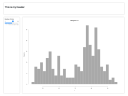
The gridlayout package enables dashboard-style layouts for Shiny apps and RMarkdown documents using CSS Grid. It uses a visual character vector syntax where you arrange layout elements in a grid pattern that matches the final layout.
The package solves the problem of building complex, responsive layouts without writing CSS. It provides functions for full-page layouts (grid_page()), embedded grids (grid_container()), and nested grids (grid_nested()). The visual syntax makes layouts easy to understand and modify at a glance, and it automatically handles responsive behavior for different screen sizes.
Contributors#


Resources featuring gridlayout#


Shiny UI Editor Feature Tour || Nick Strayer || Posit (RStudio)
The Shiny UI Editor is a dynamic drag-and drop interface to help you design beautiful Shiny apps. The Shiny UI Editor is a visual tool for building the UI portion of a Shiny application that generates clean and human-readable code.
The goal of the Shiny UI Editor is to allow people to build the broad-level UI for their Shiny app without writing code. The editor is intended for those who may not be comfortable with the HTML-style code of Shiny’s UI functions or who simply don’t want to fiddle with sizes to get things laid out correctly.
Learn more about the Shiny UI Editor here: https://rstudio.github.io/shinyuieditor/ And read up on GridLayout here: https://rstudio.github.io/gridlayout
Content: Nick Strayer (@NicholasStrayer) Producer: Jesse Mostipak (@kierisi) Editing and Motion Design: Tony Pelleriti (@TonyPelleriti)



Shiny UI Editor Project Walkthrough || Nick Strayer || RStudio
The Shiny UI Editor is a dynamic drag-and drop interface to help you design beautiful Shiny apps. The Shiny UI Editor is a visual tool for building the UI portion of a Shiny application that generates clean and human-readable code.
The goal of the Shiny UI Editor is to allow people to build the broad-level UI for their Shiny app without writing code. The editor is intended for those who may not be comfortable with the HTML-style code of Shiny’s UI functions or who simply don’t want to fiddle with sizes to get things laid out correctly.
Learn more about the Shiny UI Editor here: https://rstudio.github.io/shinyuieditor/ And read up on GridLayout here: https://rstudio.github.io/gridlayout
Content: Nick Strayer (@NicholasStrayer) Producer: Jesse Mostipak (@kierisi) Editing and Motion Design: Tony Pelleriti (@TonyPelleriti)