


shinytableau
Extend Tableau dashboards using Shiny
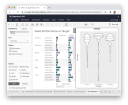
The shinytableau package lets R developers create Tableau dashboard extensions using Shiny. It enables embedding custom R-powered visualizations and interactive components directly into Tableau dashboards, filling a gap in Tableau’s existing R integration capabilities.
This package provides access to Tableau worksheet data as R data frames, allows creation of configuration dialogs for non-technical users, and supports all standard Shiny features like input controls, reactive outputs, and HTML widgets. It’s designed for organizations where Tableau is already established but need R’s visualization capabilities that aren’t available in Tableau’s native interface or calculated fields.
Contributors#


Resources featuring shinytableau#


Shiny community, hackathons, and his AI mindset | Joe Cheng | Data Science Hangout
To join future data science hangouts, add it to your calendar here: https://pos.it/dsh - All are welcome! We’d love to see you!
We were recently joined by Joe Cheng, CTO at Posit, to chat about the Shiny contest, the use of AI in data science, and designing hackathons for learning new technologies. We were joined by several past and present Shiny contest winners who gave great advice on how to get started if you want to participate (and we really hope you do)!
In this Hangout, we explore the evolution of the Shiny contest since its inception, including what made the 2024 submissions unique and the ways the contest encourages community contribution and learning. Joe also shared about his personal journey from feeling skepticism about AI to seeing and embracing its potential. We got some amazing questions from the Hangout attendees! We hope you join us live next time to ask some of your own questions
Resources mentioned in the video and zoom chat:
2024 Shiny Contest Winners → https://posit.co/blog/winners-of-the-2024-shiny-contest/
Joe’s AI Hackathon Slides → https://jcheng5.github.io/llm-quickstart/quickstart.html
Shiny Assistant → https://gallery.shinyapps.io/assistant/
Isabella’s blog post on prototyping with Shiny Assistant → https://posit.co/blog/ai-powered-shiny-app-prototyping/
Posit Conf Workshops → https://reg.rainfocus.com/flow/posit/positconf25/attendee-portal/page/sessioncatalog?tab.day=20250916&search.sessiontype=1675316728702001wr6r
Shiny Conference 2025 → https://www.shinyconf.com/
Call for Speakers Shiny Conf 2025 → https://sessionize.com/shiny-conf-2025/
Shiny Tableau → https://rstudio.github.io/shinytableau/
Echarts4r → https://echarts4r.john-coene.com
Elmer package on Github → https://github.com/tidyverse/ellmer
All the Shiny app links mentioned in the video and zoom chat: Eric Nantz 2021 Shiny Contest Submission → https://forum.posit.co/t/the-hotshots-racing-dashboard-shiny-contest-submission/104925 Eric Nantz’s R/Pharma conference keynote on AI → https://youtu.be/AfMa1CVUdXU?si=ThLsKFyonntxzBUF Eric Nantz’s Haunted Places app → https://youtu.be/vX09QGMuOfo?si=K5_uPfK5bcfZZ92l Umair Durrani’s Shiny Storytelling app → https://umair.shinyapps.io/storytimegcp/ Umair’s Blue Sky profile → https://bsky.app/profile/transport-talk.bsky.social Umair’s Shiny meetings project on Github → https://github.com/shiny-meetings/shiny-meetings Abby Stamm’s Shiny Accessibility app → https://github.com/ajstamm/shiny-a11y-app
If you didn’t join live, one great discussion you missed from the zoom chat was about everyone’s favorite interactive plotting tools. Someone asked whether Plotly was the best option, and lots of people said they loved ggiraph, echarts4r, ObservableJS, and others. What about you?! What’s your favorite interactive plotting library?
► Subscribe to Our Channel Here: https://bit.ly/2TzgcOu
Follow Us Here: Website: https://www.posit.co Hangout: https://pos.it/dsh LinkedIn: https://www.linkedin.com/company/posit-software Bluesky: https://bsky.app/profile/posit.co
Thanks for hanging out with us!



Leveraging R & Python in Tableau with RStudio Connect | James Blair | RStudio
Leveraging R & Python in Tableau with RStudio Connect Overview Demo / Q&A with James Blair
Tableau combines the ease of drag-and-drop visual analytics with an open, extensible platform. RStudio develops free and open tools for data science, including the world’s most popular IDE for R. RStudio also develops an enterprise-ready, modular data science platform to help data science teams using R and Python scale and share their work.
Now, with new functionality in RStudio Connect, users can have the best of both worlds. Tableau users can call R and Python APIs from Tableau calculated fields, getting access to all the power and analytic depth of these open-source data science ecosystems in real-time.
For Tableau users, this makes it easy to add dynamic, advanced analytic features from R and Python to a Tableau dashboard, such as scoring predictive models on Tableau data. They can leverage all the great work done by their organization’s data science team and even call both R and Python APIs from a single dashboard.
Data science teams can continue to use the code-first development and deployment tools from RStudio that they know and love. Using these tools, they can build and share R APIs (using the plumber package) and Python APIs (using the FastAPI framework).
Speaker Bio: James is a Solutions Engineer at RStudio, where he focuses on helping RStudio commercial customers successfully manage RStudio products. He is passionate about connecting R to other toolchains through tools like ODBC and APIs. He has a background in statistics and data science and finds any excuse he can to write R code.
A few other helpful links: Tableau Integration Documentation: https://docs.rstudio.com/rsc/integration/tableau/
Tableau / RStudio Connect Blog Post: https://blog.rstudio.com/2021/10/12/rstudio-connect-2021-09-0-tableau-analytics-extensions/
Embedding Shiny Apps in Tableau using shinytableau blog: https://blog.rstudio.com/2021/10/21/embedding-shiny-apps-in-tableau-dashboards-using-shinytableau/
James’ slides: https://github.com/blairj09-talks/rstudio-tableau-webinar


